Cyntara
AI workloads can turn a promising server into an expensive bottleneck. Model training, fine-tuning, and inference place different demands on GPUs, memory, networking, and cooling. The right custom GPU server builder should explain those trade-offs clearly, not just quote peak performance.
IDC’s 2024 Worldwide AI and Generative AI Spending Guide forecast global AI spending would reach $632 billion by 2028, with a 29% compound annual growth rate. This is a forecast, not a guarantee of future purchasing needs. Still, it signals why businesses are evaluating purpose-built infrastructure rather than treating every AI project like a standard server deployment. Small design choices matter: GPU memory capacity, PCIe or NVLink connectivity, power draw, and the space needed for airflow.
This guide compares seven builders through practical criteria: supported GPU configurations, system integration, validation, service, and room to scale. A useful vendor should discuss your actual models, dataset sizes, and deployment plans before recommending hardware. Ask for configuration details and realistic power and thermal requirements. Then compare the support terms, not only the headline price.
Performance claims need scrutiny. A fast benchmark may not reflect your workload. A shortlist is not a verdict; test assumptions before committing. These vendors offer different strengths, and no single provider will suit every team. The goal is to find a partner whose engineering fits your constraints, including the ones your project has not fully uncovered yet.
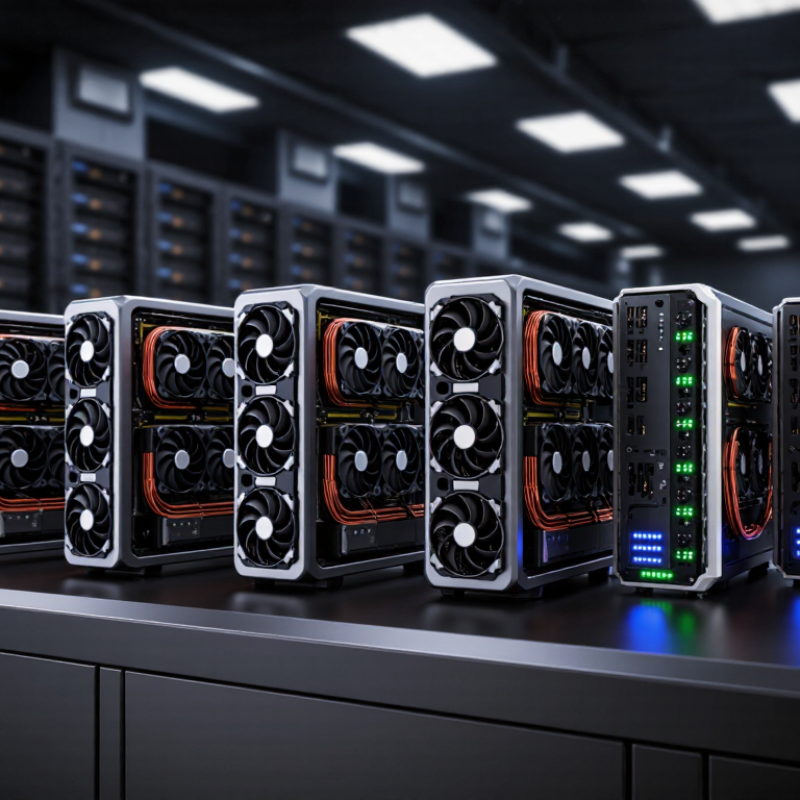
Modern AI workloads place demands on more than GPU count. Match GPU memory to model size, context length, and batch requirements; a fast accelerator can still sit idle when data arrives too slowly. For training, compare high-bandwidth GPU interconnects and network throughput. For inference, prioritize memory capacity, latency, and expected concurrent requests. Small details matter.
Plan the CPU, system memory, and NVMe storage around the actual pipeline. Preprocessing large datasets can consume substantial RAM, while scratch space fills quickly during experiments. Check sustained power draw, not just peak figures, and verify that the rack circuit and power supplies can support it. Heat is relentless. Ask builders for measured thermal and performance data under a representative sustained load, not only short benchmark results. Cooling noise, airflow, and service access also affect where a server can operate.
A sensible specification leaves room for workload changes without paying for unused capacity. I would document expected model sizes, training duration, data movement, and growth before comparing configurations. Then test the proposed system with a realistic job. Measure twice. No estimate is perfect; workloads evolve, and an overly tight design can become expensive to expand. At the same time, buying every available upgrade is not a plan. The best configuration is the one whose memory, compute, networking, power, and cooling remain balanced for the intended work.
A good evaluation starts with workload, not the largest GPU count. Define model size, batch targets, precision, and expected utilization. Then check GPU memory, interconnect bandwidth, CPU balance, and storage throughput. A server that looks powerful on paper may throttle when several accelerators run under sustained load. Ask for thermal and power validation under a workload similar to yours, not a brief synthetic test.
Builder quality appears in details. Request a clear bill of materials, documented compatibility, and realistic delivery estimates. A capable builder should explain cooling design, rack power needs, firmware updates, and options for future expansion. Review burn-in procedures, component warranties, and how support handles a failed accelerator or delayed replacement. Check whether test results include temperatures, error logs, and sustained performance. Some compromises are unavoidable; a quieter chassis, lower cost, and maximum density rarely align perfectly. That trade-off deserves a plain answer.
Tips: Share a sample job and ask what could bottleneck first. Get limits in writing. Compare service response times, not just headline specifications.
Choosing among seven custom GPU server builders means comparing engineering depth, not glossy chassis photos. Stanford HAI’s 2025 AI Index reports that training compute for notable AI models has doubled roughly every five months. That pace makes upgrade paths, component availability, and validated thermal performance important buying criteria. Ask each builder to specify sustained GPU power, memory capacity, interconnect topology, and delivery estimates—not just peak performance.
Compare how each team configures cooling, power distribution, storage, and high-speed networking for your workload. For example, a multi-GPU training node needs different bandwidth and heat management from a system serving smaller inference jobs. Request test results under sustained load, plus clear details on firmware updates, warranty coverage, and replacement parts. A polished demo is not proof of reliable operation; I would still check how the proposed system behaves under your actual workload. Small details matter.
Tips: Share a representative dataset and job profile before requesting quotes. Compare total power draw and support response times, not only purchase price.
Approximate memory needed to store model weights in FP16, calculated at 2 bytes per parameter. These estimates exclude memory for activations, the KV cache, and runtime overhead, so actual GPU memory requirements will be higher.
Custom GPU server builders should be compared on delivered performance, not headline specifications alone. Ask for workload-relevant benchmarks, including model size, batch size, and power limits. A system that looks fast on paper may throttle during sustained training. Check temperatures and GPU utilization under a representative, hours-long test. Small details matter. Request a sample configuration with memory capacity, interconnect topology, and storage throughput clearly documented. These figures help reveal whether the design suits your actual workload.
Scaling depends on more than adding accelerators. Confirm that the builder can maintain cooling, power delivery, and network bandwidth as the system grows. Ask for lead times, expansion limits, and realistic rack-level power estimates. Support deserves the same scrutiny: compare response targets, replacement procedures, and access to engineers who understand GPU systems. It gets messy. A polished sales promise is not proof of dependable service, so request written terms and references from customers with similar deployments. Benchmark results can also vary with software versions and tuning. That uncertainty should be recorded, not hidden. A careful comparison may favor a less impressive peak score if it comes with stable performance and clear support commitments.
Choosing a custom GPU server builder starts with the workload, not the largest GPU count. Define model size, memory needs, job duration, and expected growth. The International Energy Agency’s Electricity 2024 report estimated that data centers used about 460 terawatt-hours of electricity in 2022. It projects demand could exceed 1,000 terawatt-hours by 2026. These are global estimates, not a server-sizing formula. Still, they make power planning hard to ignore.
Ask builders for measured performance under your actual workloads. Stanford’s 2024 AI Index reported that training compute for notable AI models has doubled roughly every five months. That pace makes upgrade paths important. Check GPU memory, interconnect bandwidth, cooling design, and power draw at sustained load. Details matter. Request thermal and noise readings, not just peak benchmark scores. Confirm whether the builder tests full systems before shipping and documents firmware settings.
Compare service terms as carefully as hardware prices. A low quote can omit rails, cables, or on-site support. Ask how quickly replacement parts ship and who handles diagnosis when a node fails overnight. Review rack dimensions and facility power limits before approving a configuration. I would leave some capacity unused at first; it feels wasteful, but may prevent a costly redesign. Even so, spare capacity should match a credible growth plan, not guesswork.
Start with model size, batch targets, precision, and expected utilization. A sample job helps reveal likely bottlenecks.
Ask for an hours-long test using a workload similar to yours. Request temperatures, GPU utilization, error logs, and sustained performance results.
Check GPU memory, interconnect layout, CPU balance, and storage throughput. Clear details matter more than a long specification sheet.
Request thermal and power validation under sustained load. Ask for rack-level power estimates, too. A short test may miss throttling.
Confirm expansion limits, lead times, and how cooling, power delivery, and network bandwidth will scale. More GPUs do not solve every bottleneck.
Compare response targets, replacement procedures, warranties, and access to engineers familiar with GPU systems. Get service terms in writing.
No. Results can vary with software versions and tuning. Record those conditions, and check references from similar deployments.
Not always. These goals can conflict. Ask which trade-off the design makes, then consider whether it suits your workload.
Modern AI workloads place demanding requirements on GPU servers, including high accelerator density, fast interconnects, ample memory, reliable cooling, and room to scale. Choosing the right system also depends on workload type, deployment environment, budget, and the level of technical support needed. This overview explains how to assess a custom gpu server builder by examining configuration flexibility, performance, component compatibility, scalability, service options, and experience supporting AI infrastructure.
It also compares seven builder types across performance, expansion potential, and support, helping organizations understand the trade-offs between ready-to-deploy systems and highly tailored configurations. Rather than treating one solution as suitable for everyone, the guide outlines how to match a builder’s capabilities to training, inference, and research needs. With clear priorities and a careful comparison of long-term costs and support, teams can make a more informed choice for their AI infrastructure.